

BUILD AND MARKET YOUR SHOPIFY STORE
We help e-commerce brands maximise growth opportunities


What Is Vibe Coding? A Guide for Shopify Store Owners
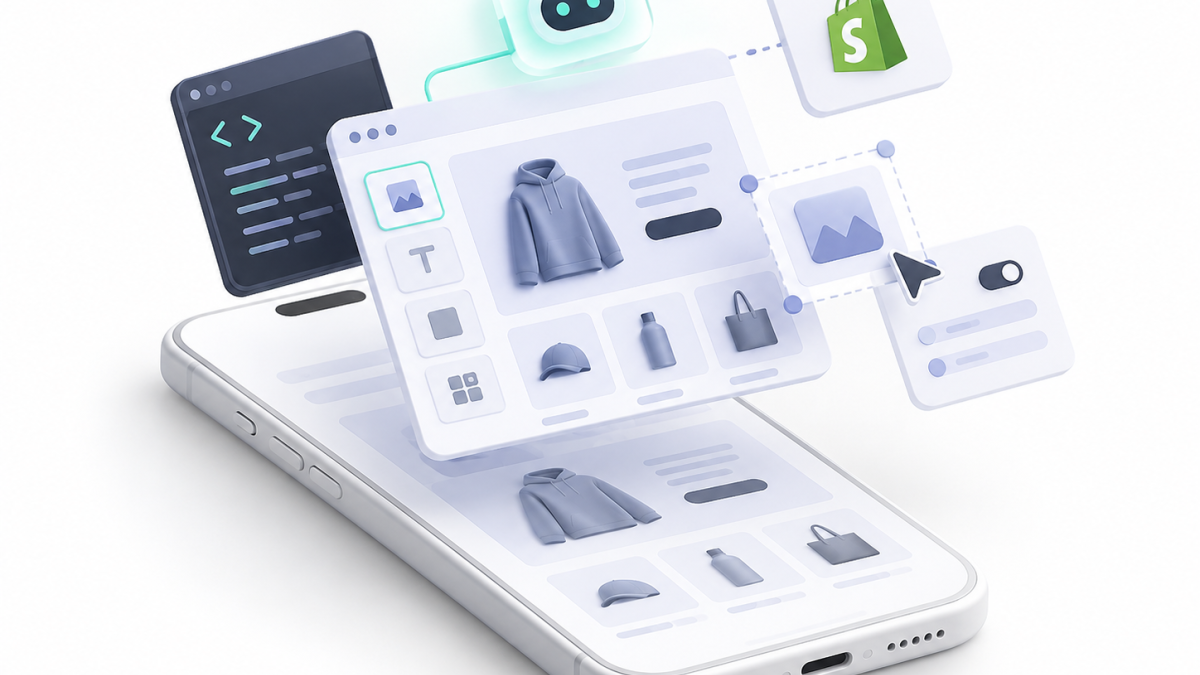
Vibe coding sounds more complicated than it is. You describe the software you want to an AI tool, let it write the code, try the result and keep asking for changes until it works: add a delivery countdown under the Add to Cart button, make it smaller on mobile, fix it on products with variants. You may never write a line yourself. The phrase was coined by AI researcher Andrej Karpathy on 2 February 2025, describing something more hands off than normal AI help: accepting changes without reading them and letting the code grow beyond his own understanding.
That distinction matters for Shopify merchants. A developer who uses AI to draft a Liquid section, then reviews, tests and versions every line, is doing AI assisted coding; a store owner telling an AI to make it work without knowing what changed is vibe coding. Both can produce working software, but only one assumes someone checks the code before customers rely on it, so a promotional section on a duplicate theme is fine, while generated code handling payments, customer records or orders is another matter entirely. This guide covers what vibe coding means, the tools, what you can safely build, the risks and how to test AI code before it reaches your live store.
Key Takeaways
- Vibe coding means building software mainly by describing the result to an AI and letting it write and revise the code, often with little manual review; Andrej Karpathy coined the term on 2 February 2025.
- It is not the same as AI assisted development, where a developer reviews, tests and understands every change before it reaches production.
- Our own developers use AI for repetitive tasks and to share the load on complex projects with many APIs, but we often have to correct its mistakes, which is why nothing goes live unreviewed.
- Store owners can experiment with isolated theme sections, visual tweaks, prototypes and internal tools, provided they work on a theme copy and test before publishing.
- Keep vibe coding away from checkout, payments, logins, customer data, orders, subscriptions, stock and anything with write access to Shopify's APIs.
- Shopify's safeguards, duplicate and development themes, Shopify CLI, Theme Check and GitHub version control, make testing and rolling back far safer.
Quick Answer
Vibe coding is a way of building software where you describe what you want in plain language and an AI tool writes and changes the code, often with little manual review. Andrej Karpathy coined the term in February 2025. For Shopify merchants, it is useful for prototyping theme sections, internal tools and small, isolated changes on a theme copy, but checkout, payments, customer data, complex apps and business critical integrations still need proper development, testing and code review. Even professional developers who use AI daily review and correct what it produces before customers see it.
Table of Contents
- What Does Vibe Coding Mean?
- Is Vibe Coding the Same as AI Assisted Coding?
- Which Vibe Coding Tools Do People Use?
- What Can a Store Owner Safely Build With AI?
- What Should You Not Vibe Code on a Live Shopify Store?
- What Are the Risks of Vibe Coding?
- How Do You Test AI Written Code on Shopify Safely?
- Can AI Build a Shopify App?
- When Should You Bring In a Developer?
- Why Matters Perspective
- Frequently Asked Questions
- Final Thoughts
- Related Articles
What Does Vibe Coding Mean?
The term came from a post by Andrej Karpathy on X on 2 February 2025, describing a way of making software by giving a large language model ever more detailed instructions instead of editing the code directly. He described talking to an AI coding tool, Cursor Composer with an Anthropic Sonnet model, asking for small changes, accepting them without reading every diff, pasting error messages back in and letting the codebase grow beyond his immediate understanding, until he could effectively "forget that the code even exists", mostly for throwaway weekend projects. The question shifts from how to implement something to what the software should do.
On Shopify, that might mean asking an AI to build a section with three editable selling points and icons that sits under the product description and stacks on mobile. It generates the Liquid, schema, HTML and CSS, you add it, then ask for tighter spacing, then a choice of two, three or four columns, without writing any Liquid yourself. It has become popular because modern tools can read and create multiple files, understand project structure, run commands, inspect errors, generate database logic and even deploy apps, which is genuinely useful for merchants until I can make this quietly becomes therefore this is production ready.
Is Vibe Coding the Same as AI Assisted Coding?
No, and this is the most important distinction in this guide, because AI coding sits on a spectrum. At one end, a developer asks AI to draft a function, explain code, write tests, refactor, find a bug, suggest CSS or scaffold an app, then reads, tests, security checks and commits the change themselves; the AI saves time, but the developer owns the code. At the other end, you describe a feature, accept the output, run it, paste the error back, accept another change and repeat until it seems to work, possibly never understanding the result.
The tool does not decide which you are doing; the level of review does, since the same editor can be used to inspect each diff or simply to accept all and try again. That is how we use it at Why Matters: our developers turn to AI for repetitive tasks and to help with the workload on very complicated projects with many APIs, but we often have to correct the mistakes it makes. A crashed prototype is an annoyance, while a broken store can stop customers buying, affecting Add to Cart, variants, prices, discounts, analytics, subscriptions, stock or accounts.
Which Vibe Coding Tools Do People Use?
AI app builders let you describe an application in conversation. Replit describes vibe coding as describing, critiquing and refining with AI, which suits internal dashboards, calculators, prototypes and admin tools, such as one that cleans product CSV files or calculates margins, while Lovable says it can generate an interface, database, logic, authentication and hosting from prompts. That lowers the barrier to prototyping, but generating authentication does not remove the need to check how it was built, and giving a prototype access to live customer records is a different risk entirely.
AI code editors such as Cursor read your codebase and propose or make edits from instructions, closer to professional development, while assistants such as GitHub Copilot suggest code, answer questions and work through tasks, with GitHub's own guidance warning that generated code can be incorrect, incomplete, insecure or inconsistent with your architecture and should be reviewed and tested. General chat assistants are also used to write Liquid, JavaScript and GraphQL or explain errors, and their output is a draft too. The best tool is the one whose workflow lets you inspect, test and reverse changes, not the smartest model.
What Can a Store Owner Safely Build With AI?
No generated code is automatically safe because a task looks small, but some Shopify jobs carry far less risk than others. The best place to experiment is isolated theme features such as announcement, FAQ, icon and text, delivery information, size guide, comparison and trust sections or simple badges, which affect presentation rather than data, always built on a theme copy, since Shopify recommends duplicating a theme before customising it. A prompt such as create an Online Store 2.0 section with up to four blocks of icon, heading and text, using the theme's colours and stacking on mobile, is a sensible experiment.
Visual CSS changes are also low risk, though a fix for one product page can break the cart drawer, collection cards or mobile menu if selectors are too broad. Prototypes are where AI shines: a product finder, calculator, quiz, wholesale form or dashboard built with test data lets you check an idea is worth engineering properly, and an internal tool that cleans supplier spreadsheets, renames images or builds CSV imports is easy to control if it only touches non sensitive copies of data and you check the output before importing it.
Risk rises with small theme JavaScript, which can slow pages and clash with other code, so test mobile, desktop, several browsers and products, and with Shopify Flow logic, where AI can draft a rule such as tagging wholesale orders over £500 for review but you must verify the trigger, conditions, actions and edge cases. Custom apps are higher risk again once they store data, call Shopify's APIs, write to Shopify, handle logins, receive webhooks or run continuously.
What Should You Not Vibe Code on a Live Shopify Store?
The principle is simple: the bigger the cost of failure, the less you should rely on code nobody understands. Keep vibe coding away from:
- Checkout: broken checkout code stops revenue, and Shopify restricts checkout extensions by type and plan.
- Payments: Shopify's payment requirements demand secure handling and PCI compliance, which is not a beginner AI project.
- Customer data: names, emails, phones, addresses and order histories are protected customer data, and public apps need approval to access them.
- Logins: passwords, sessions, tokens and access control, where a bug can expose the store.
- Stock and prices: a script that wrongly changes 8,000 prices or stock levels is a commercial emergency.
- Subscriptions and integrations: billing dates, cancellations, ERP, warehouse, CRM, fulfilment and accounting links, which can silently drop one order in a hundred for weeks.
What Are the Risks of Vibe Coding?
The main risk is not that AI code always fails, but that it works convincingly enough for you to trust what you have not checked. It can introduce security holes such as cross site scripting, injection, weak authentication, hard coded secrets or insecure dependencies, and Shopify expects apps to protect against the OWASP Top 10. It can run but be wrong, such as a discount calculator that works at £30, £50 and £100 but fails with tax inclusive pricing, a subscription selling plan or an existing code, because the happy path is easy and production needs the unhappy ones too.
It can also slow your store by adding libraries, repeated page queries, duplicate listeners or extra API calls that run on every visit; leave code nobody can maintain after months of fix this and add that; break future theme updates by editing theme files directly, which is why Shopify promotes theme app extensions; pull in dependencies that each need updates and security patches; and create false confidence when something works on your laptop but not on Safari, Android, screen readers, other currencies, languages or variants. Before publishing, ask whether someone could understand this code in six months, and if not, stop.
How Do You Test AI Written Code on Shopify Safely?
Treat the first AI version as a prototype and move it through a controlled process:
- Duplicate the theme under Online Store, then Themes, and work only on the unpublished copy, as Shopify recommends.
- Use Shopify CLI for serious work: its theme dev command creates a hidden development theme so you can test with real store data without touching the live theme.
- Run Theme Check, which catches syntax errors, deprecated tags and some performance issues, remembering that passing it does not prove the code is correct or secure.
- Put the theme under version control with Shopify's GitHub integration, so you can see exactly what the AI changed, use branches and revert.
- Review the diff for unexpected files, duplicated or hard coded code, external code, new packages, API keys and broad CSS, and ask a developer about anything critical you cannot read.
- Test real products: simple, variant, sold out, discounted, long names and descriptions, missing images and subscription products.
- Test devices, browsers and speed: small and large phones, tablet and desktop, Chrome and Safari, and compare page weight and requests before and after.
- Test failure and plan the rollback: timeouts, invalid form entries and empty metafields should fail gracefully, and you should know how to republish the old theme or revert before you press Publish.
Can AI Build a Shopify App?
Yes, AI can write much of a Shopify app, and Shopify CLI scaffolds apps, extensions, themes and custom storefronts for it to build on: an internal app that reads a product metafield, scores merchandising and lists weak products in admin is a realistic AI assisted project. A finished app, though, can involve authentication, access tokens, API scopes, webhooks, databases, protected customer data, hosting, security and App Store review, and Shopify requires public apps requesting fields such as names, addresses, emails and phone numbers to seek approval and only take the data they need.
If an app adds elements to a storefront, Shopify's theme app extensions expose app blocks and embeds in the theme editor without editing theme files, reducing the risk of breaking changes and leftover code, and App Store apps that integrate with themes must use them. AI can write those too, but the architecture should follow Shopify's framework. A beginner can absolutely prototype an app; the point to bring in a developer depends on whether it simply shows public product data or manages customers, addresses, orders, subscriptions or payments.
When Should You Bring In a Developer?
A useful rule is to bring in a developer when the cost of a hidden mistake outweighs the saving from doing it yourself. That usually means code that reads or stores customer data, touches payments or checkout, controls who can see or change information, has write access to Shopify's API to change prices, cancel orders, edit customers or adjust stock, or connects Shopify to an ERP, warehouse, CRM, accounting or subscription platform, where you need error handling, retries, logging and monitoring.
Other warning signs are a store that has slowed since an AI change you cannot explain, so stop stacking more changes on top and ask someone who can profile it, and an AI that keeps changing different things while the same bug returns, which suggests it is treating symptoms rather than understanding the architecture. The clearest sign of all is an important feature that nobody can explain: how it works, what data it uses, what can break and how to reverse it.
Why Matters Perspective
Vibe coding lowers the barrier between an idea and a prototype, and that is good news for merchants: you no longer need a development budget to find out whether a calculator, a product page section, an automated workflow or an app idea is worth pursuing. The mistake is assuming working and production ready mean the same thing. We judge any live code, whether a developer or an AI wrote the first draft, on whether it is understandable, maintainable, secure, reversible, fast and tested, with a stricter standard as the commercial risk rises.
We practise what we preach: our developers use AI for repetitive tasks and to share the workload on complex, API heavy projects, and we regularly correct the mistakes it makes before anything ships, which is exactly why unreviewed AI code should not run a live store. A decorative block may only need theme testing, an app touching customer records needs proper data handling, and a payment integration needs specialist engineering. Why Matters is a Shopify Select partner, our development projects carry a three month guarantee, and our Shopify developers can review, rebuild or productionise an AI experiment once customers or revenue depend on it.
Frequently Asked Questions
What is vibe coding?
Building software by describing what you want to an AI tool and letting it write and revise the code, often without closely reviewing each change. The focus is on the result rather than writing and understanding every line.
Who came up with the term vibe coding?
AI researcher Andrej Karpathy, in a post on X on 2 February 2025. He described accepting AI changes without reading every diff and pasting errors back to the model, mainly for throwaway weekend projects.
Can I build a Shopify app with AI?
Yes, AI can help scaffold and write one, alongside Shopify CLI. But production apps involve authentication, API permissions, protected customer data, security and possibly App Store review, so anything business critical needs professional review.
Is vibe coded software safe to use?
It can be, but working is not the same as secure or maintainable. GitHub warns AI code can be inaccurate or vulnerable and should be reviewed and tested, and the more sensitive the data, the stronger that review should be.
Do Shopify developers use AI to code?
Many do. Our developers use AI for repetitive tasks and to share the load on complex projects with many APIs, but we often have to correct its mistakes, which is why every change is reviewed before it goes live.
How do I test AI written code on my Shopify store?
Duplicate your theme and change only the copy. For bigger work, use Shopify CLI with a development theme, run Theme Check, use version control, test products, devices and browsers, and know how to roll back.
Will vibe coding replace developers?
It reduces manual coding for prototypes and simple features, but production software still needs architecture, security, testing and maintenance, which matter even more when mistakes affect customers and revenue.
Final Thoughts
Vibe coding makes experimenting dramatically easier, and that is the part to embrace: prototype a delivery section, build a test margin calculator or try a product quiz idea before commissioning an app. A sensible path is to describe the idea to AI, build it on a copy or development theme, test whether it is useful, review the code, test realistic edge cases, bring in a developer when customers, data or revenue depend on it, and publish only when you can roll back.
The most valuable thing AI gives a store owner is not the ability to pretend to be a developer, but the ability to explore ideas cheaply before deciding which deserve proper development. Start with a duplicate theme, break things there, learn quickly and keep experiments away from the systems that take money and hold customer data. When a prototype is ready to become part of the business, see our Shopify developers page.
Related Articles
- Headless Shopify Explained: Is It Right for Your Store?
- Agentic Commerce for Shopify Stores: A Practical UK Guide
- How to Choose the Best Shopify Development Company for Your Online Business
- Top 10 Web Development Agencies in the UK: A Curated Guide
- The 20 Best Shopify Apps for Every Job Your Store Needs
- Shopify App Statistics and What They Mean for Merchants
- How Much Does It Cost to Build a Shopify Store? A Transparent Guide
- Why Matters Shopify Developers

Ayo is the founder of Why Matters and Head of Marketing. With over 20 years of experience in ecommerce, digital marketing and commercial growth, he has helped hundreds of Shopify brands build, launch and scale their online stores. Why Matters, a Shopify agency based in Brighton, is a Shopify Select partner and a Klaviyo, Recharge, Awin, Meta and TikTok partner.About AyoConnect on LinkedIn