

BUILD AND MARKET YOUR SHOPIFY STORE
We help e-commerce brands maximise growth opportunities


Best Shopify Inventory Management Apps by Problem
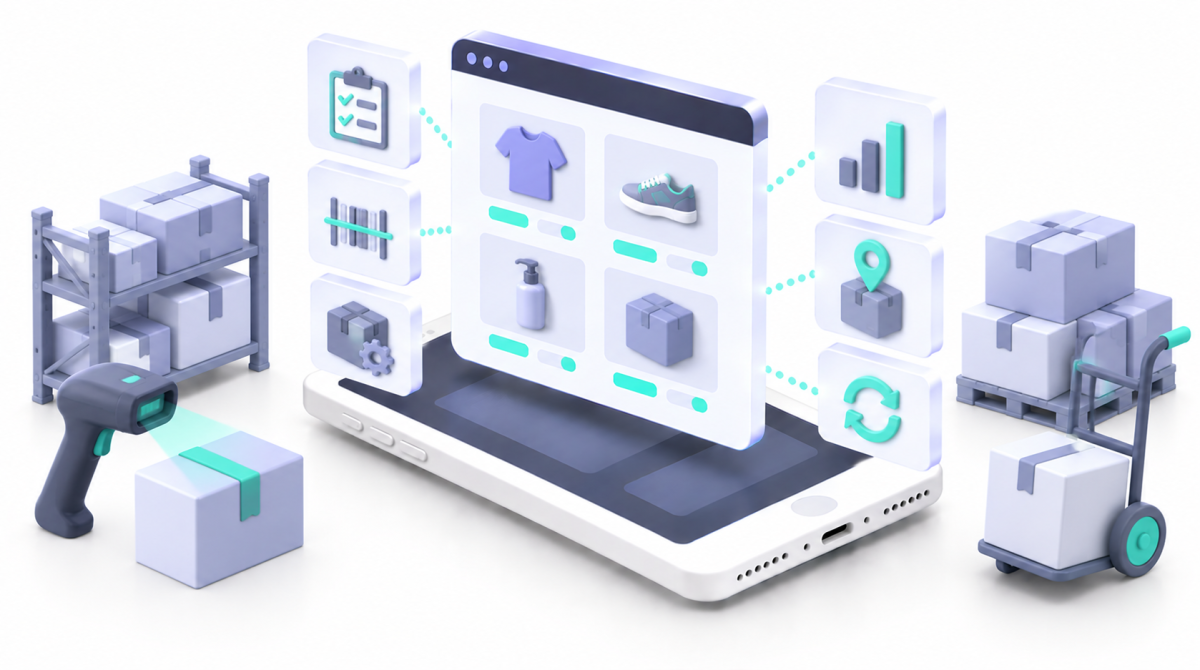
Checked 19 September 2026. Pricing and Shopify’s native inventory features both change, so this article is reviewed every six months and every price carries its checked date.
Key Takeaways
- Stocky was removed from the App Store on 2 February 2026 and stopped working on 31 August 2026, with read only access for at least 90 days afterwards so merchants could export data.
- Shopify replaced most of it natively. Locations, variant level quantities, inventory states, order routing, transfers with partial receiving, purchase orders, supplier records and barcode receiving all now live in admin.
- Purchase orders exist in Shopify now, which makes a large number of published comparison articles wrong on the single most important point.
- Active location limits are 2 on Starter, 10 on Basic, Grow and Advanced, and 200 on Plus.
- Low stock alerts come through Shopify Flow, and Sidekick can suggest reorders and draft purchase orders using demand forecasting suggestions.
- Specialist software still earns its place for deeper forecasting, multichannel sync, manufacturing, batch and expiry tracking, advanced costing and warehouse management.
- Our picks by problem: Prediko for forecasting and purchasing, Trunk for multichannel sync, ShipStation for shipping operations, Katana for manufacturing, Freshly for batch and expiry, and Business Central when you genuinely need an ERP.
- Do not choose by SKU count. A 40 SKU raw pet food brand with batches, expiry dates and subscriptions has harder inventory than a 400 SKU clothing store.
Quick Answer
The best Shopify inventory app depends on the failure you are fixing. If bestsellers stock out or cash sits in slow stock, you need forecasting and planning, and Prediko is the natural Shopify first choice. If channels oversell the same unit, you need stock sync, which is Trunk. If the warehouse is the bottleneck, ShipStation. If you make things from components, Katana. If you sell food, supplements, pet food or cosmetics, batch and expiry tracking matters more than forecasting, which is where Freshly comes in. And if purchasing, inventory and finance disagree with each other, the answer is an ERP rather than another app. Before any of that, check what Shopify now does natively, because it changed considerably in 2026.
Table of Contents
- What Shopify Does Natively, and What It Does Not
- The Stocky Gap
- Match the Symptom to the Problem
- The Best Shopify Inventory Apps by Category
- Linnworks for Shopify Stores
- Batch, Expiry and Recall Tracking
- Subscriptions Change Forecasting
- Inventory Requirements by Sector
- When an App Is the Wrong Answer
- What Inventory Software Costs Beyond the Subscription
- How to Choose Shopify Inventory Software
- What the List Means
- Methodology and Update Schedule
- Frequently Asked Questions
- Why Matters Perspective
- Final Thoughts
- Related Articles
Inventory problems rarely start with somebody saying they need an inventory app. They start with symptoms: the bestseller keeps selling out, Amazon sells the last unit five seconds before Shopify does, thousands of pounds sit in stock that barely moves, nobody can say which batch went to which customer, or a purchase order lives in a spreadsheet until somebody remembers to update it. Those are different problems needing different software. That matters more in 2026, because Stocky is gone and Shopify has built a lot of its replacement directly into admin. We use no affiliate links here, and our preference is to use Shopify’s own functionality wherever it is good enough.
What Shopify Does Natively, and What It Does Not
This section matters because Shopify’s native inventory changed substantially during the Stocky transition, and several things that used to justify a third party app are now included.
Locations, States and Routing
Shopify tracks inventory separately at each location, with active location limits of 2 on Starter, 10 on Basic, Grow and Advanced, and 200 on Plus. Order routing then decides which location fulfils an online order, with the default strategy prioritising fewer split fulfilments, staying within the destination market and shipping from the closest location. Stock is tracked at variant level across the states on hand, available, committed, unavailable and incoming, and that distinction matters: ten units in the warehouse does not mean ten units are available, because some may already be committed to unfulfilled orders.
Transfers, Purchase Orders and Suppliers
Transfers now cover movement between locations and to or from external locations such as suppliers, with multiple shipments, tracking information, partial receiving and recorded accepted, rejected or cancelled quantities, plus barcode scanning when receiving against a purchase order. For a lot of merchants that removes the need for an app simply to move stock between a shop and a warehouse.
The bigger change is that purchase orders now exist in Shopify admin, recording supplier, products, quantities, costs, payment terms, supplier currency and adjustments such as shipping, fees and duties, with a linked inventory transfer created once the supplier confirms. Supplier records exist too, and can be assigned to purchase orders. If you have read elsewhere that Shopify has no native purchase orders, that guidance is out of date.
Alerts and Forecasting
Low stock notifications come through Shopify Flow rather than a single switch in the inventory screen, which is enough for a straightforward operation. Sidekick can analyse sales and inventory data, suggest what to reorder and draft purchase orders or transfers, using demand forecasting suggestions. That is genuinely useful, and it is not the same as a planning system modelling supplier lead times, seasonality, promotions, safety stock, service levels, multiple warehouses, subscription commitments and purchasing constraints.
Where Native Shopify Still Stops
Shopify documents the limits itself. Products have one standard Vendor field, so multiple suppliers, supplier specific SKUs, lead times, minimum order quantities and case packs need metafields or metaobjects. Case pack information is not automatically used in ordering and receiving calculations, so staff convert packs into units manually. There is no weighted average costing or automatic landed cost allocation through the standard cost field, because each variant has a single static cost per item. POS Quick Count handles spot checks of up to 1,000 items, while full location stocktakes with several participants are an offline CSV process. Add batch and lot traceability, expiry management, first expired first out picking, recall workflows, manufacturing and warehouse management, and you have the honest list of what an app is still for.
The Stocky Gap
Stocky was built for merchants needing more inventory depth alongside Shopify POS, covering purchase orders, supplier management, demand forecasting, reorder suggestions, low stock reporting, stocktakes, transfers, barcode labels, supplier specific pricing and pack sizes. Shopify delisted it on 2 February 2026 and shut it down on 31 August 2026, when the APIs also stopped, leaving read only access for at least 90 days.
The migration detail that catches people is that historic data does not move automatically. Purchase orders and stocktakes have to be exported manually, historical purchase orders cannot be imported with their original status, received quantities or supplier links, and suppliers cannot be exported from Stocky directly. Stocky also calculated an average unit cost on receiving that never appeared in Shopify itself, so that costing view disappears with it.
Most of the workflow moved natively: transfers, purchase orders, suppliers, receiving, adjustments, inventory history and barcode scanning. What was not recreated exactly is supplier specific purchasing, multiple suppliers per product, automatic case pack handling, advanced costing, full location stocktakes and some procurement reporting. So the useful question is not what replaces Stocky, but which Stocky workflows you actually need to replace.
Match the Symptom to the Problem
Before comparing apps, name the symptom. It decides the category, and the category decides the shortlist.
Two more worth adding to that list: warehouse staff spending hours fixing orders and labels points at shipping and order operations, and subscription orders creating unexpected demand spikes points at forecasting that can read recurring commitments. Choosing software because another merchant uses it is how stores end up with tools that solve a problem they do not have.
The Best Shopify Inventory Apps by Category
1. Forecasting and purchase orders: Prediko
Starter $49 a month up to $100,000 revenue, Scale up $119 to $500,000, Growth $199 to $2 million, custom above that (Shopify App Store). AI demand forecasting, inventory planning, purchase order management, alerts, multi location inventory and reporting, built Shopify first. A UK merchant review in August 2026 described it as their Stocky replacement and noted it imported their suppliers and purchase order history, which matters given Shopify cannot. What to watch: pricing scales with revenue rather than SKUs, so check the tier you will be on in a year, and remember a forecast is only as good as the sales history and lead times behind it.
2. Multichannel stock sync: Trunk
Essential from $35 a month, Pro from $39, rising with order volume. Real time stock sync across Shopify, Amazon, eBay, Etsy, Faire, TikTok and others, with bundling, kitting and duplicate SKU syncing on Pro. This is the fix for the same unit being promised to two customers on two channels. What to watch: sync solves availability, not planning. If you also need forecasting, that is a second tool or a bigger system.
3. Shipping and order operations: ShipStation
Starter $14.99 a month, Standard $29.99, Premium $349.99, varying by geography and order volume, with inventory management included on Premium. It centralises orders, shipping automation, returns and warehouse workflows, which is where the time goes once volume climbs. What to watch: a single channel merchant with simple fulfilment is adding a layer rather than removing work.
4. Manufacturing and production: Katana
Free up to 30 SKUs, Core $299 a month, with further charges for locations, sales order volume and add ons. Inventory and production scheduling for businesses turning components into finished products, which native Shopify does not attempt. What to watch: this is operational software with an implementation project attached, not an app you install on a Friday.
5. Batch and expiry tracking: Freshly Batch Inventory
Free up to 10 products and 500 orders a month, Pro $24, Advanced $89, Plus $199. Tracks inventory by batch or lot with expiry management and traceability, with Pro adding unlimited batches, automatic and manual batch assignment, bulk import and export and customer facing expiry dates, and Plus supporting multiple fulfilment locations. What to watch: batch tracking only works if the warehouse process matches it, so the app is half the job and the picking discipline is the other half.
6. When you genuinely need an ERP: Microsoft Dynamics 365 Business Central
Connector free to install, Essentials £61.50 and Premium £84.60 per user per month paid yearly, excluding VAT. Essentials covers finance, sales and operations, Premium adds service management and manufacturing, and the Shopify connector syncs products, inventory, customers, orders and fulfilment. It is part of Shopify’s Global ERP Program. What to watch: per user pricing and an implementation partner make this a different class of decision from a $49 app, closer in scale to the projects in our build cost guide.
Linnworks for Shopify Stores
Linnworks is a multichannel inventory and order management platform, and for a Shopify store it sits between a sync app such as Trunk and a full ERP. Linnworks says it connects inventory, orders, warehouses, listings and shipping carriers across more than 100 marketplaces and channels, so a sale on Amazon, eBay or Shopify updates stock everywhere else. It also routes each order to your own warehouse, a 3PL or a dropship supplier, and covers purchase orders, low stock alerts, picking routes and shipping labels.
Pricing is by quote. Linnworks prices its plans on order volume rather than revenue, in tiers based on monthly orders with overage charges above your tier, and recommends paid onboarding as a separate one off fee. Model it on your order count in your busiest month, not your average one.
What to watch: Linnworks earns its place when Shopify is one channel among several, typically with Amazon and eBay orders shipping from the same stock. If Shopify is your only channel, native inventory plus a planning tool will usually cover it for less, and the implementation is closer to the ERP option above than to installing an app; our Amazon vs Shopify guide covers selling on both.
Batch, Expiry and Recall Tracking
This is the section other roundups skip, and it is the one that matters most to half the sectors we work in. Batch tracking means knowing which lot each unit came from and which orders contained it.
The FDA describes a traceability lot code as the identifier that uniquely identifies a lot, explains that these codes link food to the businesses that handled it and help determine the scope of a recall, and notes that smaller lots mean less food affected when something goes wrong. It gives the same advice to pet owners about pet food lot numbers, because the lot number is what establishes whether a particular batch is affected.
Picking order matters too. First expired, first out means issuing the stock with the earliest expiry date regardless of when it arrived, which the World Health Organization describes as best practice for reducing waste from expiry. That is different from first in, first out, and the difference shows up as written off stock at the end of the quarter. Run a mock recall while nothing is wrong: name a batch, and time how long it takes to list every affected customer. If the answer is more than an hour, the system is not ready.
Subscriptions Change Forecasting
Subscriptions change the forecasting question, because they give you forward demand that most planning tools ignore. If 800 customers are due a 250g bag every 28 days, that is not a forecast, it is a commitment, and it should be modelled separately from one off sales. Skips, pauses and cancellations then adjust it, which is why subscription heavy brands often forecast better than their tools suggest, provided somebody connects the two datasets. Our subscriptions guide covers the commercial side, and the practical point here is to ask any forecasting tool how it treats recurring orders before buying it.
Inventory Requirements by Sector
- Pet. Batch traceability and recall readiness matter as much as forecasting, and subscriptions create predictable forward demand (pet food guide).
- Coffee and tea. Roast dates, freshness windows and first expired first out picking, with subscription commitments driving the roast schedule (coffee and tea guide).
- Health and supplements. Batch numbers, expiry dates and traceability are compliance requirements rather than nice to haves (health and fitness guide).
- Snacks and drinks. Short shelf life, case configurations and multipack components that native bundle handling does not always track cleanly (snacks and drinks guide).
- Household and cleaning. Batch codes, dangerous goods storage limits and refill components (household guide).
- Baby and parenting. Batch to order traceability is the difference between a targeted recall and a mass email (baby and parenting guide).
- Beauty. Period after opening, batch codes and cosmetic product information, where the warehouse needs to know more than the SKU (beauty guide).
When an App Is the Wrong Answer
Sometimes the honest recommendation is that no app fixes this. The signals are consistent: purchasing, inventory, fulfilment and finance each hold a different version of the truth; several warehouses run different processes; a 3PL and your store disagree daily; manufacturing and finance need the same numbers; or you are adding a third app to patch gaps between the first two. At that point you have an integration problem rather than a missing feature, and the answer is an ERP, a warehouse management system or proper middleware. It is a bigger decision with a longer timeline, and recognising it early is cheaper than discovering it after buying two more apps.
What Inventory Software Costs Beyond the Subscription
Inventory software carries more implementation cost than most app categories. Budget for configuration, data migration, training and integration, and expect the migration to be the hard part, because Shopify itself warns that historical Stocky purchase orders and stocktakes do not transfer. Then there is the part nobody quotes for: bad data is more dangerous than a missing feature. Wrong costs, inaccurate stock counts, inconsistent SKUs, missing lead times and untracked adjustments will defeat any forecasting engine, and no subscription fixes a warehouse that counts inconsistently.
How to Choose Shopify Inventory Software
Four questions settle most of these decisions. What symptom are we fixing, named precisely? Who owns inventory internally, because software without an owner drifts within weeks? What must it sync with, including Shopify, marketplaces, a 3PL, accounting and any ERP? And what happens if we leave, since inventory systems hold your cost data, supplier terms and purchase history. Ask the last question before you sign, not two years later.
What the List Means
- Check native Shopify first, because it does considerably more than it did before Stocky closed.
- Most published comparisons are out of date on purchase orders, which is the single most quoted gap.
- Match the tool to the symptom. Forecasting, sync, shipping, manufacturing and batch tracking are five different problems.
- Batch and expiry tracking is the real gap for food, supplement, pet, baby and beauty brands, and it is barely covered anywhere.
- Know when to stop buying apps. Our best Shopify apps guide and app statistics article cover the wider stack discipline.
Methodology and Update Schedule
Checked 19 September 2026. Native Shopify capabilities and limits come from Shopify help documentation, including its Stocky migration guidance, and app pricing comes from Shopify App Store listings on that date, stated in the currency the listing uses. Several apps price by revenue, order volume, users or locations, so the entry price is rarely the final cost. Traceability and expiry references come from the FDA and the World Health Organization. We use no affiliate links. This article is reviewed every six months, and sooner if Shopify ships inventory functionality that changes an answer, which it did twice during 2026.
Frequently Asked Questions
Does Shopify have inventory management?
Yes, and more than it used to. Shopify handles multiple locations, variant level quantities, inventory states, order routing, transfers with partial receiving, purchase orders, supplier records and barcode receiving, with low stock alerts available through Shopify Flow.
When did Shopify Stocky shut down?
Stocky was removed from the Shopify App Store on 2 February 2026 and stopped working on 31 August 2026, when its APIs also stopped. Former users keep read only access for at least 90 days to export their data.
Does Shopify have purchase orders?
Yes. Purchase orders now exist in Shopify admin, recording supplier, products, quantities, costs, payment terms, supplier currency and adjustments such as shipping, fees and duties, and a confirmed order can create a linked inventory transfer. Older comparison articles saying otherwise are out of date.
What is the best Stocky alternative?
For many merchants it is native Shopify, since transfers, purchase orders, suppliers and barcode receiving all moved into admin. If you relied on Stocky's forecasting, supplier specific purchasing or pack sizes, a planning tool such as Prediko is the closer replacement.
Does Shopify do demand forecasting?
Partly. Sidekick can analyse sales and inventory, suggest what to reorder and draft purchase orders using demand forecasting suggestions. It is not a substitute for a planning system that models lead times, seasonality, safety stock and subscription commitments.
Can Shopify track batch numbers and expiry dates?
Not natively in a way that supports lot traceability or first expired first out picking. Food, supplement, pet and cosmetic brands that need batch to order traceability will need a specialist app or a system that handles lots properly.
What is FEFO inventory management?
First expired, first out. Stock with the earliest expiry date is issued first regardless of when it arrived, which the World Health Organization describes as best practice for reducing waste from expiry.
Should I use a Shopify inventory app or an ERP?
Use an app while the problem is contained to one area, such as forecasting or channel sync. Move towards an ERP when purchasing, inventory, fulfilment and finance disagree with each other, because that is an integration problem rather than a missing feature.
Why Matters Perspective
The most common inventory mistake we see is buying software to fix a process. A forecasting tool will not rescue a business whose stock counts are wrong, and a sync app will not help if two teams keep editing quantities by hand. Fix the counting discipline first, then automate it.
The second most common mistake is now out of date advice. A lot of published comparisons still tell merchants that Shopify has no purchase orders, no supplier records and no barcode receiving, which sends people shopping for software they may not need. Start in your own admin, name the specific thing it cannot do, and only then look at apps. That approach usually produces a smaller bill and a simpler stack, which is the same argument we make in our best Shopify apps guide.
Why Matters is a Shopify Select partner with Verified Skills across development and marketing. Our pricing is published, retainer clients are billed one month in arrears and never tied into long contracts, and every development project carries a 3 month guarantee. See our Shopify packages or email us to talk through your store.
Final Thoughts
Shopify inventory got significantly better in 2026, and the loss of Stocky pushed a lot of merchants into reviewing something they had been ignoring. That is not a bad outcome. Work from the symptom rather than the app list, use native functionality until you can name what it cannot do, treat batch and expiry tracking as a requirement rather than a feature if you sell anything with a date on it, and recognise the point where the answer stops being an app at all. The goal is not the most capable inventory system. It is knowing what you have, where it is, and who it is promised to.
Related Articles
- The 20 Best Shopify Apps for Every Job Your Store Needs
- Shopify App Statistics and What They Mean for Merchants
- How to Add Subscriptions to Shopify: A Complete Guide for Store Owners
- Pet Food Ecommerce: A Complete Guide for Brands
- Health and Fitness Ecommerce: A Complete Guide for Brands
- Snacks and Drinks Ecommerce: A Complete Guide
- Shopify Markets: How to Sell Internationally from Your Shopify Store
- Shopify Statistics UK: Store Numbers, Market Share and Growth
- Shopify POS in the UK: Hardware, Fees and Who It Suits

Ayo is the founder of Why Matters and Head of Marketing. With over 20 years of experience in ecommerce, digital marketing and commercial growth, he has helped hundreds of Shopify brands build, launch and scale their online stores. Why Matters, a Shopify agency based in Brighton, is a Shopify Select partner and a Klaviyo, Recharge, Awin, Meta and TikTok partner.About AyoConnect on LinkedIn
Talk to our team
Tell us a little about your store and we'll get back to you within 24 hours.