

BUILD AND MARKET YOUR SHOPIFY STORE
We help e-commerce brands maximise growth opportunities


How to Migrate from Magento to Shopify: A Step by Step Guide
Key Takeaways
- Standard support for Adobe Commerce and Magento Open Source 2.4.6 ended on 11 August 2026. Open Source gets no extended support, so Open Source stores on 2.4.5 or 2.4.6 are already unsupported.
- From 1 June 2027, Adobe can suspend traffic to Adobe Commerce on Cloud environments still running unsupported versions, taking the storefront offline.
- Shopify B2B is no longer Plus only. Companies, catalogues, net terms, quantity price breaks, vaulted cards and purchase order numbers run on Basic, Grow and Advanced too.
- Structure matters more than volume. Migrating 5,000 heavily customised products is often harder than 100,000 simple ones.
- Structured data is the SEO asset most often lost. Of the migrations we take on, 90% arrive with broken or missing structured data.
- Integration reconnection is usually the largest cost driver, ahead of product count.
Quick Answer
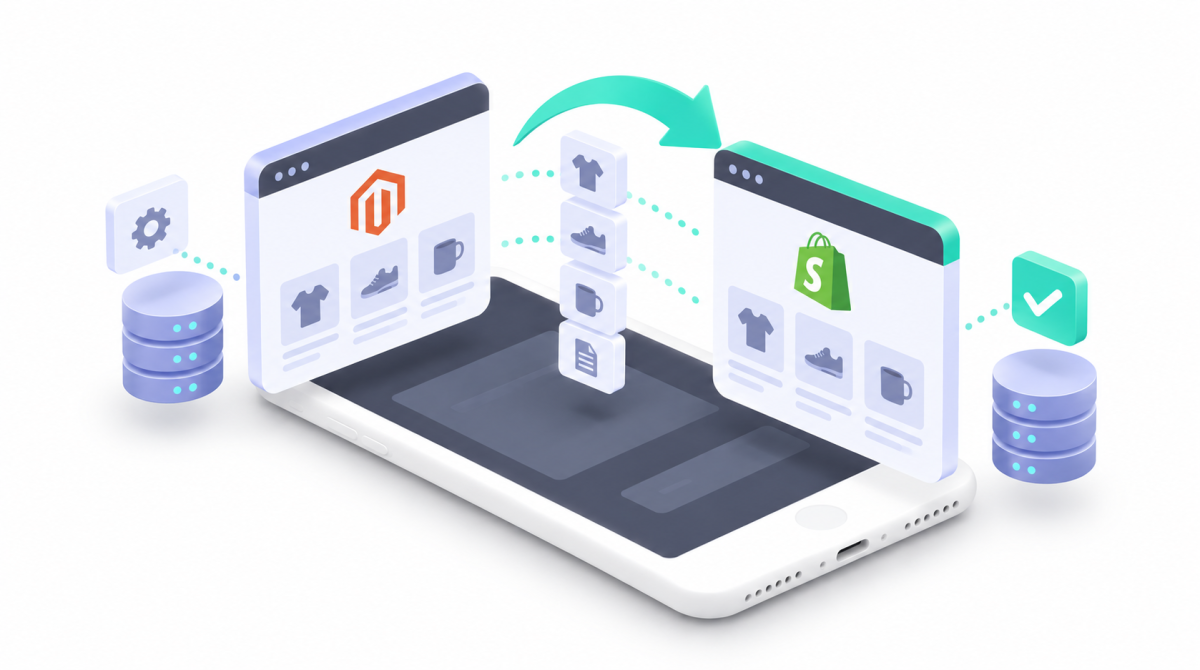
A Magento to Shopify migration has ten stages: audit the Magento environment, choose the Shopify plan and architecture, plan how data will be transformed, map URLs, decide how each extension will be replaced, migrate and reconcile the data, rebuild integrations, test complete business journeys, launch as a controlled cutover, then decommission Magento deliberately. The import is usually the easiest part. The hard work is transforming Magento's flexible data model into Shopify's more opinionated one, protecting search visibility, and reconnecting the systems the business runs on. Most Magento merchants no longer need Shopify Plus purely for B2B, which changes the economics of the move.
Table of Contents
- Why Magento Merchants Are Moving Now
- What Makes Magento Migrations Different
- Step 1: Audit Your Magento Store
- Step 2: Choose Your Shopify Plan and Architecture
- Step 3: Plan How Your Data Will Be Transformed
- Step 4: Map Magento URLs to Shopify
- Step 5: Replace Extensions and Custom Functionality
- Step 6: Migrate and Reconcile Your Data
- Step 7: Rebuild Your Integrations
- Step 8: Test, Launch and Decommission
- Do You Actually Need Shopify Plus?
- Why Matters Perspective
- Frequently Asked Questions
- Final Thoughts
- Related Articles
Migrating from Magento to Shopify is rarely as simple as exporting products, importing them and pointing your domain at Shopify. For an established merchant, Magento sits at the centre of a much larger operation: years of product, customer and order data, custom attributes, configurable and bundled products, pricing rules, extensions, bespoke code, SEO authority, ERP, PIM and CRM integrations, international store views and B2B. The real question is how to move the business without losing the data, functions, search visibility and processes it depends on, and there is now a deadline attached to it.
Why Magento Merchants Are Moving Now
Most articles on this subject give general reasons for leaving Magento: total cost of ownership, specialist PHP developers, painful upgrades. The merchants we have moved from Magento usually say the same, wanting lower maintenance costs, less reliance on developers and better performance. All true, none of it urgent. What is urgent is Adobe's lifecycle policy, which gives each 2.4 release line three years of standard support and, for Adobe Commerce customers only, up to a year of extended support.
| Release | Standard support ends | Extended support ends |
|---|---|---|
| 2.4.9 | 31 May 2029 | Not yet announced |
| 2.4.8 | 31 May 2028 | Not yet announced |
| 2.4.7 | 31 May 2027 | 31 May 2028 |
| 2.4.6 | 11 August 2026 | 31 August 2027 |
| 2.4.5 | 12 August 2025 | 11 August 2026 |
| 2.4.4 | 12 April 2025 | 14 April 2026 |
Three details deserve attention. First, extended support is available to Adobe Commerce customers only and does not cover the Magento Open Source code base. If you run Open Source on 2.4.5 or 2.4.6, you are already outside support, with no quality fixes and no security patches.
Second, Adobe's version upgrade enforcement policy for Adobe Commerce on Cloud means that from 1 June 2027 it will stop maintaining Cloud environments on unsupported versions and can suspend their traffic, taking the storefront offline. That date applies to 2.4.4 and 2.4.5; for 2.4.6 and 2.4.7 it is 1 June 2028. Adobe says environments that stay non compliant may be decommissioned and their data permanently deleted.
Third, the dependency clock runs separately. Adobe does not patch third party dependencies that reach end of life inside a support window. PHP 8.1 reached end of life on 31 December 2025 and PHP 8.2 reaches it on 31 December 2026, and Adobe flags both as PCI compliance risks for older 2.4 lines.
None of this means Magento is ending: Adobe released 2.4.9 in May 2026 and supports it to May 2029. It does mean many merchants now face a dated decision, and upgrading in place is no longer the only option worth pricing. Adobe's recommended destination for Cloud customers is Adobe Commerce as a Cloud Service; Shopify is the other serious option. Our Magento vs Shopify comparison covers that decision.
What Makes Magento Migrations Different
Moving between two SaaS platforms is largely a matter of transferring data, rebuilding the storefront, reconnecting integrations and protecting SEO. Magento goes deeper, because it should be treated as an ecommerce system rather than a website. Three differences drive almost all the extra work.
Structure matters more than size. 5,000 products built on customised attributes and bespoke pricing logic are harder to move than 100,000 simple ones.
Customisation accumulates. A mature build may carry dozens of third party and bespoke extensions, custom checkout logic, modified pricing rules and middleware written around Magento. The wrong question is which Shopify app replaces an extension. The right question is what business requirement it fulfils. Sometimes nobody remembers, and the business no longer needs it. That is technical debt a migration should remove rather than reproduce.
The data models differ fundamentally. Magento uses an Entity Attribute Value model that makes products and attributes enormously flexible. Shopify is deliberately more opinionated, so complex Magento data usually has to be transformed rather than transferred. Business logic compounds this, because pricing may depend on customer groups, quantity tiers, catalogue and cart price rules, website scope, store view or extension code. That logic has to be found before Magento is retired, or a feature will look migrated while the rule underneath has quietly disappeared.
Step 1: Audit Your Magento Store
Establish exactly what Magento does today before deciding what Shopify should look like. For a complex store this is a formal discovery exercise, not a checklist.
Record the version first: Magento 1, Magento 2 Open Source or Adobe Commerce, with the exact patch level, since APIs, export routes and migration approaches all differ. Magento 1 support ended in June 2020, so those merchants are making this decision six years past the deadline.
Build an extension register recording name, vendor, version, purpose, whether it is used, what data it creates, what it talks to, who owns it and the intended Shopify replacement. Classify each as native functionality, an app, custom development, an external system, or retire. This alone usually simplifies the build significantly.
Map any multi store setup: websites, store groups, store views, domains, languages, currencies, product availability, pricing, customer groups and inventory. Do not assume every store view needs a separate Shopify store. Catalogue product types by volume, paying particular attention to configurable and bundle products, and export attribute sets with their values, scope and visibility so you can decide which genuinely need to survive.
Document the category tree with its traffic and backlinks, and build an integration register covering every connected system, the data it exchanges and what breaks if it fails. Then capture a performance baseline: organic sessions and revenue, conversion rate, average order value, top landing pages, key rankings, indexed pages, top linked pages and existing 404s from Google Analytics and Search Console. You cannot judge a migration without knowing how the old store performed.
Step 2: Choose Your Shopify Plan and Architecture
Make this decision before transforming data or rebuilding functionality, because it has changed significantly. For years the standard advice to Magento merchants with wholesale needs was that B2B meant Shopify Plus. That is no longer accurate, and repeating it pushes merchants onto a far more expensive plan than they need.
According to Shopify's B2B features by plan, B2B now runs on Basic, Grow, Advanced and Plus. Companies and locations, catalogues, quantity rules and price breaks, net payment terms, vaulted cards, purchase order numbers, quick order lists and Flow automations are available on all four. Plus adds scale rather than access:
| B2B capability | Basic, Grow, Advanced | Plus |
|---|---|---|
| B2B catalogues assignable to B2B markets | 3 | Unlimited |
| Catalogues assigned directly to a company or location | No | Yes |
| Deposit requirements and partial payments | No | Yes |
| Payment requests per fulfilment | No | Yes |
B2B catalogue features on Basic, Grow and Advanced require the current version of Shopify Markets. The practical consequence: if your wholesale operation needs pricing assigned directly to individual companies, more than three catalogues, or deposit and partial payment workflows, Plus is genuinely required. If it needs company accounts, negotiated price lists within three catalogues, net terms and purchase orders, it probably is not.
Beyond B2B, Plus remains relevant for high transaction volumes, multiple storefronts, deeper checkout customisation and advanced automation. Do not choose Plus because Magento was expensive, and do not squeeze an enterprise operation onto a standard plan purely to save on the subscription. Compare the plans on Shopify's UK pricing page against your actual requirements.
On architecture, Magento's website, store and store view hierarchy does not map directly onto Shopify. Separate UK, European and US websites do not automatically need three Shopify stores, because Shopify Markets can often consolidate countries, currencies, languages and domains into one. Separate stores still make sense where markets differ materially in catalogue, operations, legal entity or process. Settle that before the build starts.
Step 3: Plan How Your Data Will Be Transformed
This is where copying data and migrating data part company. Forcing Magento data into Shopify without restructuring produces a store that technically contains the information and is miserable to operate. Start by sorting it three ways: migrate what ongoing operations need, archive what must be retained but not used in Shopify, and discard what is obsolete. That triage alone cuts complexity substantially.
Simple products usually translate cleanly. Configurable products need thought, because a Magento configurable is the parent of several simple products representing purchasable variations, and those relationships must be rebuilt with Shopify's product and variant structure. Do not import every child as an independent product unless that is genuinely how customers shop. For attributes, the right destination depends on what the attribute does, not what it is called:
| Magento data | Likely Shopify destination |
|---|---|
| Something the customer selects when buying | Product option and variant |
| A specification the customer reads | Metafield |
| Structured content reused across products | Metaobject referenced by a metafield |
| Merchandising classification | Product taxonomy, tags or collection rules |
| A legacy attribute nobody uses | Retire it |
Bundles and grouped products need the customer experience settled first. Is the bundle fixed or configurable? Can customers choose components? Is inventory tracked per component? Is there a discount? Migrate the business behaviour, not Magento's product type label.
Customer migration covers names, emails, phone numbers, addresses, tags, customer group information and properly documented marketing consent. Magento customer groups may become Shopify tags, B2B company structures or integration logic depending on purpose. Passwords need a transition plan, because Magento passwords cannot be carried across as ordinary customer data: decide how customers will reach their accounts after launch and brief customer service before go live. A technically flawless migration still fails if thousands of returning customers cannot log in.
For order history, ask what the business actually needs inside Shopify. Historical orders matter for service, returns, warranties and B2B reordering, but a decade old order does not need to behave like a native Shopify order, and an archive or reporting tool is often better for very large datasets. Whatever you choose, keep enough identifiers to reconcile Shopify against Magento.
Step 4: Map Magento URLs to Shopify
For established Magento merchants, SEO is usually the largest commercial risk in the migration. Crawl Magento before changing anything, combining the crawl with Search Console, Google Analytics, backlink tools and sitemaps. The aim is not to catalogue every URL Magento ever generated, but to find the ones carrying traffic, authority or commercial value.
Layered navigation is the Magento specific complication. One category can generate huge numbers of filtered URLs combining colour, size, brand and price, and depending on past configuration some are indexed while others were canonicalised or blocked. Do not redirect every combination. Establish which are indexed, receive organic traffic, have backlinks or match real search intent, then give each valuable URL a planned destination: product to product, category to collection, CMS page to page. Where no exact match exists, redirect to the closest genuinely relevant page rather than dumping everything on the homepage.
Redirects are only part of the job. Review titles, meta descriptions, headings, product and category copy, internal links, canonicals, indexability and structured data. That last one is the most often missed: of the migrations we take on, 90% arrive with broken or missing structured data, which quietly removes product details such as price and availability from how search engines read your pages. A Magento category earning real organic revenue can still lose ground when replaced by an attractive collection that has shed its useful content, even with a correct redirect. Our complete Shopify migration checklist covers the redirect map and SEO checks in full.
Step 5: Replace Extensions and Custom Functionality
Start from the extension register in Step 1, not from a shopping list of apps. For each extension, identify the business outcome it supports, then choose the cleanest Shopify route to that outcome.
| Magento capability | Shopify equivalent |
|---|---|
| Elasticsearch or OpenSearch catalogue search | Shopify Search and Discovery, or a search app |
| Page Builder | Theme sections and blocks under Online Store 2.0 |
| B2B module | Shopify B2B, on every plan from Basic up |
| Multi store and store views | Shopify Markets, or expansion stores on Plus |
| ERP connectors | Connector apps, or API integration with Shopify Flow |
| Custom checkout extensions | Checkout extensibility, deepest on Plus |
| Security, caching, CDN and hosting extensions | Not needed: Shopify runs the infrastructure |
Where custom development is the answer, first ask whether the function still earns enough to justify rebuilding. Migration is a rare chance to challenge years of accumulated decisions. In our experience of quoting these projects, bespoke functionality and complex international shipping are the two most common reasons a Magento migration moves into a custom pricing tier, and when a store has either, expect it to dominate the quote rather than product count. See how much a Shopify migration costs.
Step 6: Migrate and Reconcile Your Data
For a complex store this is never a single import. Run one or more test migrations, validate, refine the transformation rules, then complete a final migration close to launch. The method may be CSV imports, specialist migration apps, Magento API extraction, custom scripts, the Shopify APIs or a mix.
Test with a representative sample: simple and configurable products, attribute heavy products, bundles, multi image products, different customer groups, historical orders and known edge cases. A sample of your easiest products proves nothing. Then reconcile, because an import reporting success is not the same as correct data. Compare product and variant counts, SKUs, prices, stock, customers, orders, images and key attributes, using automated reports on large catalogues.
Finally, plan the delta. Magento keeps trading while Shopify is built, so a final delta migration close to launch captures new customers, orders, products and stock changes. Without it, the Shopify data is stale on day one.
Step 7: Rebuild Your Integrations
For established Magento merchants this is the highest risk part of the project, because the storefront can look perfect while the operation behind it is broken. Document what actually happens rather than just that two systems connect: the PIM sends product information to Shopify, the ERP sends prices and stock, Shopify sends orders and customers to the ERP, the warehouse sends fulfilment and tracking back. That detail makes it obvious which system owns each piece of data.
Use the migration to settle unclear ownership. If Magento and the ERP both changed stock, decide which is authoritative, and do the same for product data, prices, customers, order status and fulfilment. Then test failure as well as success: what happens when the ERP is down, a SKU is unknown, stock cannot update or a webhook is delayed? Critical integrations need retries, monitoring and recovery.
Step 8: Test, Launch and Decommission
Our migration checklist covers the launch sequence, so this section notes only what differs on Magento. Test complete business journeys rather than page templates: place real orders and follow each through payment, ERP or order management, warehouse, fulfilment, tracking and customer notification. Run acceptance testing with the people who operate the business, because a customer service agent will spot missing information a developer never would.
Launch as a planned cutover, keeping the window in which Magento and Shopify can diverge as short as possible, usually by freezing Magento changes during the final delta. Done well, the gains are measurable: across our migrations, PageSpeed typically improves by around 68%.
Then decommission deliberately rather than cancelling hosting the day Shopify takes its first order. Keep Magento accessible for a defined period, typically 30 to 60 days, for reconciliation and the dependency nobody documented. Archive what your retention policy requires, then disable old integrations, remove webhooks, retire scheduled jobs and revoke migration credentials. Never leave an abandoned Magento install publicly reachable: an unpatched store on an unsupported version is exactly what attackers scan for.
Do You Actually Need Shopify Plus?
For most Magento merchants, less often than they expect, and less often than a year ago. The B2B expansion removed the most common reason a Magento merchant was told to budget for Plus. Plus is genuinely the right answer where the business needs unlimited B2B catalogues, catalogues assigned to individual companies or locations, deposit or partial payment workflows, payment requests per fulfilment, multiple storefronts, very high volumes or deep checkout customisation.
If you use Adobe Commerce B2B, map each workflow, from company structures and price lists to payment terms and permissions, and confirm how each would work on Shopify. The aim is to support the business outcomes, not to reproduce every Magento configuration screen.
Why Matters Perspective
A Magento to Shopify migration should simplify the operation rather than relocate its complexity. Magento stores accumulate years of extensions, custom code and infrastructure decisions. Some remain essential. Others exist because they solved a problem five years ago and nobody has looked since. A migration is realistically the only moment to separate the two, because nobody audits a hundred extensions during business as usual.
On inbound migrations, Magento included, the damage that goes unnoticed is lost signals: 90% of the migrations we take on arrive with broken or missing structured data, and redirects are often incomplete. Those are invisible on launch day and show up weeks later as falling organic revenue, which is why we treat SEO as its own workstream from the audit onwards. Our migrations average about one month from kick off to launch, and on complex Magento stores the discovery phase is where that time is best spent.
We would also encourage any merchant reading this to price the alternative honestly. Adobe Commerce as a Cloud Service is the right answer for some businesses, and a Shopify agency recommending Shopify is hardly a surprise. What should decide it is a genuine comparison against your requirements, your integration burden and your capacity to maintain a platform. Our Shopify developers handle migrations, custom development and integrations, with a 3 month guarantee on development projects, and if Shopify is not the right fit we would rather tell you early.
If you are weighing up a move, our Shopify migration agency page explains how we move stores, usually in under two weeks, and what it costs.
Frequently Asked Questions
When does support end for my Magento version?
Adobe gives each 2.4 release line three years of standard support. It ended for 2.4.4 in April 2025, 2.4.5 in August 2025 and 2.4.6 on 11 August 2026, and ends for 2.4.7 on 31 May 2027, 2.4.8 on 31 May 2028 and 2.4.9 on 31 May 2029. Extended support is for Adobe Commerce customers only, not Magento Open Source.
Do I need Shopify Plus to migrate a Magento B2B store?
Usually not. Shopify B2B runs on Basic, Grow, Advanced and Plus. Plus is required for unlimited B2B catalogues, catalogues assigned directly to a company or location, deposits, partial payments and payment requests per fulfilment.
How much does a Magento to Shopify migration cost?
It depends on catalogue complexity, custom functionality, integrations, multi store needs, SEO and B2B. For Magento merchants, integrations and custom development usually cost more than product count, and bespoke functionality and complex international shipping are the most common reasons a quote moves to a custom tier.
How long does a Magento to Shopify migration take?
Our migrations average about one month from kick off to launch, but a Magento store with multiple websites, ERP integrations and B2B can take considerably longer. On a complex store, discovery often takes longer than the build.
Can I migrate from Magento 1 to Shopify?
Yes. Official support for Magento 1 ended in June 2020. Moving straight to Shopify avoids a separate Magento 1 to Magento 2 replatform followed by another platform decision.
Will I lose my Magento SEO rankings when migrating to Shopify?
Not necessarily, but SEO must be its own workstream. Careful URL mapping, redirects, content and metadata migration, structured data and monitoring after launch reduce the risk. Layered navigation needs particular care, because only some filtered URLs carry search value.
What happens to my Magento extensions?
They do not transfer. Assess each one to see whether its business requirement is met by native Shopify features, an app, custom development, or no longer needs meeting at all. On a mature store, a meaningful share turn out to be unnecessary.
Final Thoughts
A successful Magento to Shopify migration is not about moving products between platforms. It is about keeping the valuable parts of an established operation while removing complexity that no longer earns its cost. Audit thoroughly, map the data carefully, protect search visibility, rebuild the integrations the business runs on, test real processes, and choose between Shopify and Shopify Plus on requirements rather than on assumptions that were true two years ago.
There is now a date attached to the decision. Whether the destination is Shopify or Adobe Commerce as a Cloud Service, the one option not available indefinitely is staying where you are.
Related Articles
- Magento vs Shopify: Which Ecommerce Platform Is Right for You?
- The Complete Shopify Migration Checklist: Before, During and After
- How Much Does a Shopify Migration Cost? A Transparent Pricing Guide
- How to Migrate from WooCommerce to Shopify: A Step by Step Guide
- How to Optimise Your Shopify Store for SEO
- How to Choose the Best Shopify Development Company for Your Business

Ayo is the founder of Why Matters and Head of Marketing. With over 20 years of experience in ecommerce, digital marketing and commercial growth, he has helped hundreds of Shopify brands build, launch and scale their online stores. Why Matters, a Shopify agency based in Brighton, is a Shopify Select partner and a Klaviyo, Recharge, Awin, Meta and TikTok partner.About AyoConnect on LinkedIn
Talk to our team
Tell us a little about your store and we'll get back to you within 24 hours.